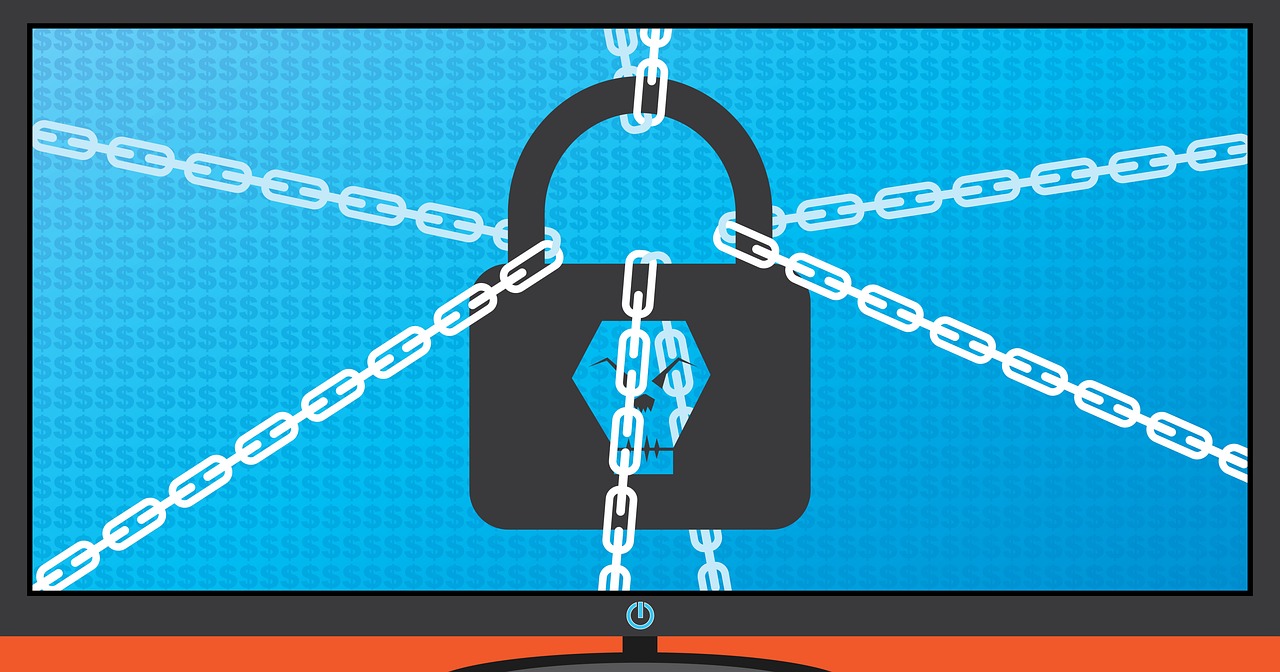

You may have seen news stories like “a company’s computers were locked,” “all files suddenly became inaccessible,” or “a message appeared demanding ransom payment.”
Many people’s first reaction is usually: That probably only happens to large corporations, hospitals, or government agencies, right?
But in reality, ransomware is no longer a threat aimed only at large organizations.
Individual users, small studios, clinics, schools, and even people who simply use computers to store photos, reports, or client lists can all become victims. According to Taiwan’s National Institute of Cyber Security Research’s “Ransomware Protection” and the U.S. CISA’s “#StopRansomware Guide”, ransomware has become one of the most common and destructive cybersecurity threats today. In recent years, attackers have also developed tactics such as “stealing data before extorting victims,” placing even greater pressure on organizations and individuals.
Many people think cybersecurity is only the responsibility of IT staff, but ransomware often relies not on highly advanced technology, but on human carelessness, urgency, and habits.
An email that looks like an official company notice, an “invoice download” link, a fake banking or shipping website, or even a “free cracked software” download can all become entry points for an attack.
Taiwan’s National Institute of Cyber Security Research summarized common infection sources in its “Ransomware Protection” guide, including malicious emails, dangerous website links, unpatched software vulnerabilities, and unknown programs. CISA’s “#StopRansomware Guide” also points out that attackers frequently exploit leaked credentials, social engineering, remote services, and software vulnerabilities.
So instead of diving too deeply into complicated technical jargon, this article aims to explain three things in a more practical and approachable way:
First, what ransomware actually is;
Second, why it is so dangerous;
Third, what ordinary people and businesses can do to reduce the risk.
If you do not have a technical background, that is completely fine. The most important part of cybersecurity is not whether you can write code, but whether you have built the right habits and basic defenses.
1. What Exactly Is Ransomware? A Simple Explanation📌
The simplest way to explain it is this: Ransomware is malicious software that “kidnaps” your data and demands money to release it.
It may encrypt all the documents, photos, reports, and design files on your computer so you can no longer open them;
or it may directly lock your device, preventing you from even logging in.
Taiwan’s National Institute of Cyber Security Research explains in its “Ransomware Protection” guide that ransomware can generally be divided into “non-encrypting” and “encrypting” types:
the former mainly locks devices, while the latter encrypts files and demands payment for decryption.
If you think “paying the ransom will solve everything,” that may be far too optimistic.
Both CISA’s “Ransomware (General Security Postcard)” and the “#StopRansomware Guide” warn that paying the ransom does not guarantee you will recover your data. Some victims never receive a decryption key even after paying, and some are targeted for extortion again afterward.
The homepage of the No More Ransom Project, “Home | The No More Ransom Project”, also clearly states that there is no guarantee your data will be restored after payment.
What makes things even more troubling is that modern ransomware attacks are no longer just about “locking files.”
CISA’s “#StopRansomware Guide” points out that many recent attacks involve “double extortion”: attackers first encrypt your files, then steal your data, and finally threaten to publish sensitive information if you refuse to pay.
This means that even if you manage to rebuild your systems, you may still face problems such as data breaches, reputational damage, and loss of customer trust.
2. Why Is Ransomware So Dangerous? Because It Damages More Than Just Computers🚨
Many people assume cybersecurity incidents are simply “computer problems,” but what makes ransomware truly frightening is that it often impacts far more than just devices — it affects your workflow, customer trust, business operations, and even daily life.
Imagine this: all your work files suddenly become inaccessible, customer information cannot be retrieved, accounting reports cannot be opened, photos and notes disappear, orders stop processing, and your website goes offline. At that point, you are not just losing a computer — you are losing your entire workflow.
CISA’s “#StopRansomware Guide” mentions that ransomware and data extortion incidents can prevent organizations from accessing critical information, disrupting business operations. The FBI’s “2025 IC3 Annual Report” also emphasizes that the actual losses suffered by victims are often far greater than reported figures, because downtime, system rebuilding, labor costs, and external support expenses are not always fully reflected in financial reports.
From a broader perspective, this is not a minor issue — it is an expanding global risk.
Verizon’s “2025 Data Breach Investigations Report” indicates that ransomware-related incidents continue to make up a growing portion of overall breach cases, with particularly severe impacts on small and medium-sized organizations.
The FBI’s “2025 IC3 Annual Report” shows that IC3 received more than 3,600 ransomware complaints in 2025, with directly reported losses exceeding USD 32 million. The FBI also clearly warns that these numbers are likely underestimated, since many organizations do not include downtime, document reconstruction, or third-party incident response costs in their calculations.
In other words, the most frightening part of ransomware is not the threatening message on the screen, but how it turns one problem into three:
🔹 Your data becomes inaccessible
🔹 Your work grinds to a halt
🔹 External trust is damaged as well
That is why many cybersecurity experts now say ransomware is no longer just an IT issue — it is an operational risk, a trust risk, and even a management risk.
In the “Microsoft Digital Defense Report 2025”, Microsoft also identifies ransomware, extortion-based data breaches, and identity attacks as major current risks, emphasizing that organizations must focus not only on tools, but also on staff training and organizational resilience.
3. How Does Ransomware Usually Get In? More Everyday Than You Think🧨
For most users, the most common attack methods are not the “instant hacking scenes” you see in movies, but rather ordinary, everyday interactions.
Taiwan’s National Institute of Cyber Security Research summarized several common infection sources in its “Ransomware Protection” guide, which is especially useful for people without technical backgrounds.
3.1 Malicious Emails and Attachments📧
This is one of the most common attack methods.
You may receive an email that appears to be an “invoice notice,” “shipping notification,” “account issue alert,” “resume attachment,” or “tax notification,” containing either a file attachment or a link.
Opening it without noticing the danger may immediately trigger malicious software.
Taiwan’s National Institute of Cyber Security Research lists many real-world examples in its “Ransomware Protection” guide, including electronic invoices, shipping notifications, and job application emails. CISA’s “#StopRansomware Guide” also notes that advanced social engineering and stolen credentials are major initial attack vectors.
3.2 Fake Websites, Malicious Links, and Web Vulnerabilities🌐
Sometimes the attack does not come through email. Instead, you may encounter an attractive link on a website such as “Download Now,” “Limited-Time Access,” or “Update Plugin.” One click may be enough to infect your system. Taiwan’s National Institute of Cyber Security Research points out that if systems or browsers contain vulnerabilities, simply browsing a compromised website or clicking a malicious advertisement may result in ransomware infection.
3.3 Weak Passwords, Reused Passwords, and No Multi-Factor Authentication🔓
Many attacks do not begin with a virus file at all — they begin with someone logging into an account. Microsoft’s “Microsoft Digital Defense Report 2025” points out that a large portion of identity attacks are related to weak-password issues such as password spraying. Microsoft Learn’s “Plan for mandatory Microsoft Entra multifactor authentication (MFA)” also states that multi-factor authentication can block more than 99.2% of account compromise attempts. In other words, if your password is too simple, reused across multiple services, and not protected by MFA, attackers may not even need to send malware — they can simply log directly into your cloud services, email accounts, or remote management portals.
3.4 Unpatched Systems and Remote Services🧩
Both CISA’s “#StopRansomware Guide” and the FBI’s “2025 IC3 Annual Report” emphasize that unpatched vulnerabilities, exposed remote services, and improperly configured VPNs and RDP systems are favorite entry points for ransomware attackers. In simple terms: if the door is not locked and the windows are old and broken, intruders can get in much more easily.
3.5 Untrusted Cracked Software and “Free” Tools💿
This is something many people overlook. Programs advertised as “free versions,” “cracks,” or “portable tools” are sometimes traps bundled with malicious software.
Taiwan’s National Institute of Cyber Security Research clearly warns in its “Ransomware Protection” guide that illegal software and suspicious utility tools may contain malware, and installation processes may even request excessive permissions.
4. What Are the Common Signs of a Ransomware Infection?👀
Ransomware does not always “announce itself loudly” at first, but there are still several common warning signs. If you notice them early enough, you may at least have a chance to reduce the damage. Taiwan’s National Institute of Cyber Security Research mentions several common indicators in its “Ransomware Protection” guide that are especially worth remembering for everyday users.
🔹 Word, Excel, PDF, or photo files that used to work normally suddenly cannot be opened.
🔹 File names suddenly gain strange extensions made up of unfamiliar letters or symbols.
🔹 A new .txt or .html ransom note suddenly appears inside folders.
🔹 Your computer becomes abnormally slow, and the hard drive constantly spins as if processing massive amounts of files.
🔹 Your screen becomes locked, your browser is hijacked, or a ransom message appears after rebooting.
Sometimes these symptoms do not just mean “the system has already been infected” — they may also indicate that files are actively being encrypted.
In other words, every extra minute of delay may mean another batch of files gets encrypted.
So rather than worrying about whether it might be a false alarm, it is usually better to take isolation measures first to prevent the situation from spreading.
Both Taiwan’s National Institute of Cyber Security Research and TWCERT emphasize in the “Ransomware Protection Guide” that once ransomware is suspected, the first priorities should be to disconnect the system, prevent further spread, preserve evidence, and seek assistance.
5. What Should You Do Immediately If You Encounter Ransomware?🆘
This section is extremely important, because when people panic, they are more likely to make mistakes.
If you see a ransom message, remember one thing first: stop the bleeding before trying to fix everything.
5.1 Isolate the Device Immediately🔌
Taiwan’s National Institute of Cyber Security Research recommends in its “Ransomware Protection” guide that once ransomware is suspected, the affected device should immediately be disconnected from the network and isolated. TWCERT’s “Ransomware Protection Guide” also suggests disabling Wi-Fi and cutting network access if necessary to prevent additional devices from becoming infected.
The reason is simple: if your computer is still connected to company file servers, shared folders, NAS devices, or cloud synchronization tools, the ransomware may continue encrypting everything it can access.
5.2 Do Not Rush to Pay the Ransom⛔
When people see a ransom demand, panic is a natural reaction — especially if the message says something like “Pay within 48 hours or your files will be permanently deleted.” However, CISA’s “Ransomware (General Security Postcard)”, the No More Ransom Project’s “Home | The No More Ransom Project”, and Taiwan’s National Institute of Cyber Security Research’s “Ransomware Protection” all consistently warn against paying the ransom, because there are no guarantees, and doing so may further encourage criminal activity.
5.3 Preserve Evidence — Do Not Immediately Reinstall Everything📸
Many people’s first instinct is to reinstall the operating system right away. But if you do not know how the attack happened in the first place, reinstalling everything may still leave you vulnerable to getting infected again.
Taiwan’s National Institute of Cyber Security Research recommends in its “Ransomware Protection” guide that the infected system’s state should be preserved for analysis before reinstalling if necessary. TWCERT’s “Ransomware Protection Guide” also advises backing up logs and encrypted files in case a future decryption tool becomes available.
5.4 Try Official or Trusted Decryption Resources🧰
Do not randomly search the internet for “miracle decryption tools,” because that could easily lead to a second infection. A more trustworthy approach is to first check the No More Ransom Project’s “Decryption Tools” page or use its “Crypto Sheriff” service to identify the ransomware family and see whether a legitimate decryption tool already exists.
Not every ransomware variant can currently be decrypted, but at least these are publicly trusted resources.
5.5 Notify Internal Teams and Seek Professional Assistance🧑💻
If you work within an organization, notify your IT department, cybersecurity team, supervisor, or incident response contact immediately instead of trying to handle everything alone. Both CISA’s “#StopRansomware Guide” and the FBI’s “2025 IC3 Annual Report” emphasize that organizations should establish reporting and incident response processes in advance, because delays only increase the damage.
6. Real Protection Is Not Just “Installing Antivirus Software”🛠️
When people talk about cybersecurity, one of the most common responses is: “I already have antivirus software installed.”
But realistically speaking, antivirus software is important, but it is not a magic solution.
Ransomware is difficult to defend against because it does not rely on just one technique. It often combines social engineering, vulnerability exploitation, account hijacking, and lateral movement. Effective protection comes from building a complete set of strong security fundamentals.
6.1 Backups Should Always Be the Top Priority💾
If you remember only one thing from this article, let it be this: backups are more important than recovery.
Taiwan’s National Institute of Cyber Security Research mentions the “3-2-1 backup rule” in its “Ransomware Protection” guide:
Keep at least 3 copies of your data, store them on 2 different types of media, and make sure at least 1 copy is kept offline.
CISA’s “#StopRansomware Guide” and the FBI’s “Ransomware” guidance also stress that backups should be offline, encrypted, and regularly tested for restoration, because some ransomware variants attempt to encrypt connected backups as well.
To put it simply:
- Keeping files only on the same computer is not a real backup.
- Saving files to an external hard drive that is always connected is not necessarily safe either.
- Cloud synchronization tools are convenient, but if encrypted files also get synchronized, they may not save you.
A truly good backup means you can cleanly restore your data after a disaster.
6.2 Enable Multi-Factor Authentication (MFA)🔐
This is one of the most cost-effective and powerful security measures available.
Microsoft Learn’s “Plan for mandatory Microsoft Entra multifactor authentication (MFA)” states that MFA can block more than 99.2% of account compromise attempts. Microsoft’s “Microsoft Digital Defense Report 2025” also identifies identity protection as a key factor in preventing attacks from spreading. In simple terms, even if a password is stolen, the additional verification layer makes it far harder for attackers to gain access.
For most people, the most important places to enable MFA include:
🔹 Email accounts
🔹 Cloud storage services
🔹 Company VPNs and remote desktop systems
🔹 Financial, payment, and shopping platforms
🔹 Social media accounts and administrative dashboards
Once attackers successfully access these systems, the resulting damage often escalates rapidly.
6.3 Regularly Update Systems and Software🔄
Many attacks happen not because users “did something wrong,” but because systems were left unpatched for too long.
Taiwan’s National Institute of Cyber Security Research reminds users in its “Ransomware Protection” guide to keep operating systems and commonly used software fully updated. CISA’s “#StopRansomware Guide” and the FBI’s “2025 IC3 Annual Report” also identify timely patching as a critical defense measure.
6.4 Avoid Clicking or Opening Unknown Content📬
This advice may sound old-fashioned, but it remains extremely effective.
Do not casually open suspicious attachments, click unfamiliar links, enable document macros, or install applications from unknown sources.
Taiwan’s National Institute of Cyber Security Research explains this very clearly in its “Ransomware Protection” guide. The FBI’s “Ransomware” guidance also recommends restricting Office macros and applying the principle of least privilege.
6.5 Separate Permissions, Segment Networks, and Avoid “One Infection Takes Down Everything”🧱
For companies and organizations, a single infected computer is not the worst-case scenario — the real danger is when the entire organization becomes infected together.
The FBI’s “2025 IC3 Annual Report” recommends network segmentation to prevent ransomware from spreading laterally from one device across the entire environment. CISA’s “#StopRansomware Guide” also repeatedly emphasizes the importance of least privilege access, restricting remote services, and implementing granular access controls.
7. If You Are Just an Everyday User, These Are the Most Important Things to Do🏠
You may not work in IT, and you may not have a large budget for security tools, but you can still significantly reduce your risk. Here are the five most practical and worthwhile things you should prioritize:
7.1 Back Up Important Data in Multiple Locations📁
Photos, work files, scanned documents, and family financial records should never exist in only one place. Ideally, you should maintain both cloud and offline backups, and regularly check whether they can actually be opened and restored. This aligns with the 3-2-1 backup principle recommended by Taiwan’s National Institute of Cyber Security Research in its “Ransomware Protection” guide.
7.2 Always Enable MFA for Your Email🔐
Your email account is essentially the master key to almost all your other accounts. Once attackers gain access to your email, they can often reset passwords for many connected services. Microsoft emphasizes the strong protective value of MFA in its “Plan for mandatory Microsoft Entra multifactor authentication (MFA)”.
7.3 Do Not Download Suspicious Software🧹
Especially avoid cracked software, unofficial plugins, unknown compressed files, or installation packages shared casually through online communities. Taiwan’s National Institute of Cyber Security Research directly identifies these as major risk sources in its “Ransomware Protection” guide.
7.4 Turn On Automatic Updates🔄
Your operating system, browser, PDF reader, Office applications, and mobile apps should all update automatically whenever possible. Delaying updates is essentially leaving known vulnerabilities exposed and unattended.
7.5 If You Are Unsure, Ask First🙋
If you receive a suspicious email, encounter an unexpected login request, see a file asking you to enable macros, or get an “urgent” request from a supervisor asking for a transfer or download, pause for a moment and verify first. Many attacks succeed not because people are foolish, but because attackers intentionally create pressure and urgency so victims do not have time to think clearly.
8. If You Run a Small Business or Team, Where Should You Focus?🏢
For small and medium-sized businesses, the biggest cybersecurity danger is not lacking a perfect solution — it is believing “we are too small to become targets.”
Verizon’s “2025 Data Breach Investigations Report” shows that ransomware incidents have particularly severe impacts on small and medium-sized organizations. The FBI’s “2025 IC3 Annual Report” also notes that industries such as legal services, contracting, engineering, and consulting — even outside critical infrastructure sectors — continue to report large numbers of ransomware incidents.
In other words, attackers do not only target large corporations. They also target smaller organizations with weaker defenses that still heavily depend on their data.
If you are in a leadership role, consider prioritizing your budget toward these genuinely effective measures:
- Implement proper backups and recovery drills: not just storing copies of files, but actually testing whether data can truly be restored.
- Enable MFA for everyone: especially for email, cloud services, management consoles, and VPN access.
- Create a basic incident reporting process: who identifies the issue, who gets notified, who can isolate devices, and who handles external communication.
- Provide regular employee reminders and awareness training: staff do not need highly advanced cybersecurity courses at first — simply teaching people how to recognize suspicious emails, strange attachments, and fake websites already makes a major difference.
- Restrict administrative privileges: not everyone should have permission to install software or access every shared folder in the organization.
Many companies view cybersecurity as an expense, but in reality, the truly expensive part is often the operational downtime caused by being unprepared.
Microsoft reminds organizations in its “Microsoft Digital Defense Report 2025” that defense requires not only tools, but also investment in people and resilience. CISA’s “#StopRansomware Guide” repeatedly emphasizes that prevention and incident response planning must exist together.
9. Common Misconceptions About Ransomware❓
9.1 “I’m Just an Ordinary Person — Hackers Won’t Target Me”
Wrong.
In many cases, attackers are not targeting you personally. They are casting massive automated nets and infecting whoever falls victim. Sophisticated phishing emails, password spraying, and automated vulnerability scanning all happen at scale. Microsoft’s “Microsoft Digital Defense Report 2025” explains that attackers use automation and ready-made tools to scale their operations. CISA’s “#StopRansomware Guide” also warns that organizations of every size can become victims.
9.2 “Having Antivirus Software Is Enough”
It is not enough.
Antivirus software is important, but if your passwords are weak, you do not maintain backups, you click suspicious attachments, or your systems are outdated, your risk remains high.
9.3 “If I Get Infected, Paying Is the Fastest Solution”
Not necessarily.
CISA, the No More Ransom Project, and Taiwan’s National Institute of Cyber Security Research all warn that payment does not guarantee recovery and may even lead to further extortion attempts.
9.4 “Cloud Syncing Is the Same as Having a Backup”
Not entirely.
Synchronization tools are extremely convenient, but if encrypted files are also synchronized, the damage may spread to all synced locations as well.
A truly secure backup focuses on being recoverable, isolated, and verifiable.
Both CISA and the FBI specifically emphasize that backups should be offline or protected from unauthorized modification.
10. Conclusion: Ransomware Is Dangerous, But It Is Not Impossible to Defend Against✅
What makes ransomware so frightening is not just its ability to encrypt files, but the fact that it targets the things people value most: time, data, trust, and the ability to work. The good news, however, is that defending against ransomware does not require becoming a cybersecurity expert.
By consistently focusing on the fundamentals — backups, updates, MFA, avoiding suspicious links, and verifying before acting — you can already block a large portion of real-world threats.
This is also the key message repeatedly emphasized by CISA in its “#StopRansomware Guide”, Taiwan’s National Institute of Cyber Security Research in its “Ransomware Protection”, and Microsoft in its “Microsoft Digital Defense Report 2025”: effective cybersecurity is usually not about complexity — it is about consistently doing the small but correct things well.
If I had to summarize this entire article in one sentence, it would be this:
Ransomware does not only target “unlucky people” — it targets people who are unprepared.
And what we can do is not demand perfection from ourselves, but make sure that even when risks appear, a single mistake does not completely bring us down.
📚 References
- “Ransomware Protection” | National Institute of Cyber Security Research
- “#StopRansomware Guide” | CISA
- “Ransomware (General Security Postcard)” | CISA
- “2025 IC3 Annual Report” | FBI Internet Crime Complaint Center
- “Ransomware” | FBI
- “2025 Data Breach Investigations Report” | Verizon
- “Microsoft Digital Defense Report 2025” | Microsoft
- “Plan for mandatory Microsoft Entra multifactor authentication (MFA)” | Microsoft Learn
- “Home | The No More Ransom Project” | No More Ransom
- “Decryption Tools” | The No More Ransom Project
- “Crypto Sheriff” | The No More Ransom Project
- “Ransomware Protection Guide” | TWCERT/CC